


Short answer: WhatsApp abandoned cart recovery for Shopify works best when it is treated as a controlled recovery workflow rather than a simple message blast. Detect the right Shopify event, confirm that the shopper has a usable WhatsApp number and the required consent, send an approved WhatsApp template with a tested recovery path, stop the sequence when the order is completed, and route replies to the right agent or automation.
If you are searching for whatsapp abandoned cart shopify, the important distinction is that Shopify can have both an abandoned cart and an abandoned checkout. They are not interchangeable. A cart can exist before the customer starts checkout, while a checkout abandonment means the shopper has progressed further and Shopify has checkout information that can be used by the recovery workflow. For WhatsApp, the phone number and valid consent are especially important because you cannot assume that a phone number appearing somewhere in Shopify means the customer agreed to receive WhatsApp marketing.

This guide focuses on a global Shopify merchant audience across the US, UK, Canada, Australia, Germany, and other markets. India-specific considerations, including cash on delivery, are included only where they are useful.
What is WhatsApp abandoned cart recovery?
WhatsApp abandoned cart recovery is an automated sequence that attempts to bring a shopper back to an incomplete shopping journey through WhatsApp. Instead of relying only on an email inbox, the merchant uses a conversational channel to remind an eligible customer about the products they considered and provide a direct route back to shopping or checkout.
A useful recovery system has five components: event detection, eligibility, message delivery, recovery destination, and conversion tracking. If any one of those is weak, the campaign can look active in a dashboard while producing little incremental revenue.
The goal is not to message every person who leaves a product in a cart. The goal is to identify customers for whom a WhatsApp message is permitted, relevant, technically deliverable, and commercially useful.
Cart versus checkout: the Shopify distinction that matters
One of the most common mistakes in abandoned cart automation is treating every incomplete cart as an abandoned checkout. They represent different stages of intent.
Abandoned cart
An abandoned cart generally means a shopper added one or more products but did not start checkout. Shopify's marketing automation documentation describes its Recover abandoned cart automation as targeting customers who add products to their cart but do not start checkout.
Abandoned checkout
An abandoned checkout is further down the funnel. The shopper started checkout but did not complete the order. Shopify's current documentation provides an explicit customer-abandons-checkout trigger for Shopify Flow, and Shopify's abandoned checkout recovery documentation describes the recovery journey around incomplete checkout information.
For WhatsApp, this distinction affects what data you can reliably use. A shopper who only added an item to a cart may not have supplied a phone number. A shopper who reached checkout may have supplied contact information, but that still does not automatically establish WhatsApp marketing consent.

Why email-only abandoned cart recovery leaves gaps
Email remains useful and should not automatically be replaced. The problem is building an abandoned-cart strategy around email alone.
When merchants ask why abandoned cart emails fail, the answer is usually not one single technical issue. Email can be missed in a crowded inbox, arrive after the shopper's buying intent has cooled, compete with promotional messages, or send traffic to a recovery experience that no longer matches what the customer expects.
There is also a conversational gap. If a shopper abandoned because shipping was unclear, they had a sizing question, payment failed, or they wanted to confirm availability, another static email does not necessarily resolve the obstacle.
WhatsApp can complement email by creating a shorter path between reminder and conversation. The important word is complement. A strong system should compare channels and measure incremental recovery rather than assuming WhatsApp is automatically better.
When should a Shopify store send the first WhatsApp message?
There is no universal delay that is correct for every store. Product type, buying cycle, time zone, average order value, and customer expectations all matter.
A practical starting sequence for many ecommerce stores is:
- 15–30 minutes: first reminder for eligible high-intent shoppers.
- 4–6 hours: second message focused on product value, reassurance, or support.
- 18–24 hours: final reminder if the customer remains eligible.
- After purchase: immediately stop all recovery messages.
For high-consideration products, the second touch may need to be later. For fast-moving retail, the first reminder may be more valuable sooner. The sequence should also respect the customer's local time and your permitted messaging windows.

Phone number is not the same as WhatsApp permission
A phone number is an identifier. Consent is permission. These should be stored and evaluated separately.
A customer may provide a phone number for delivery, account creation, or checkout communication without agreeing to receive promotional or abandoned-cart messages on WhatsApp. WhatsApp's Business Messaging Policy requires businesses to have the recipient's phone number and explicit opt-in for subsequent WhatsApp messages, with the business responsible for obtaining consent in a legally appropriate way.
For merchants operating across the US, UK, EU, Canada, Australia, Germany, and other jurisdictions, consent should be designed with applicable privacy and marketing laws in mind. Your legal basis, disclosure wording, record retention, and opt-out process can vary by jurisdiction.
The safest operational approach is to store at least the consent status, consent timestamp, consent source, consent category, and opt-out status. Do not treat an imported phone database as a WhatsApp marketing audience simply because every record contains a mobile number.
Build a consent-first WhatsApp recovery system
A practical consent checklist looks like this:
- Tell customers clearly that they are opting in to receive WhatsApp messages from your business.
- Identify the business name in the consent experience.
- Explain the relevant message categories rather than hiding the purpose in generic terms.
- Keep WhatsApp marketing consent distinguishable from unrelated transactional contact permissions.
- Record when and where consent was collected.
- Honor opt-out requests from WhatsApp and other channels where applicable.
- Synchronize suppression status across your automation system and customer records.
- Do not restart marketing automation immediately after an opt-out.

WhatsApp templates versus the customer session
This is one of the most important operational differences between WhatsApp and conventional chat widgets.
When a business initiates a WhatsApp conversation on the WhatsApp Business Platform, it must use an approved message template. When a customer has messaged the business, the business can generally respond without a template within the applicable 24-hour customer service window described by WhatsApp's policy.
That means your abandoned cart sequence should be designed around approved templates rather than assuming an agent can send any free-form promotional text whenever the automation fires.
Template approval is also not a one-time substitute for good content. Templates need to accurately represent their purpose, use variables correctly, and follow current WhatsApp policies. A recovery template that is rejected or paused can stop the workflow even though the Shopify trigger itself is working.
What should a WhatsApp abandoned cart message contain?
The strongest messages are short because the customer already knows the product context. Your message should reduce friction rather than reproduce an entire email newsletter.
Message anatomy
- Recognition: identify that the shopper left something behind.
- Relevant context: mention the product, cart, or shopping intent where appropriate.
- Reassurance: answer a likely objection such as delivery, returns, or support.
- Recovery action: provide one clear path back to the intended shopping journey.
- Conversation option: allow the customer to ask a question when support could remove friction.
- Preference control: provide a clear route to stop unwanted marketing communication.
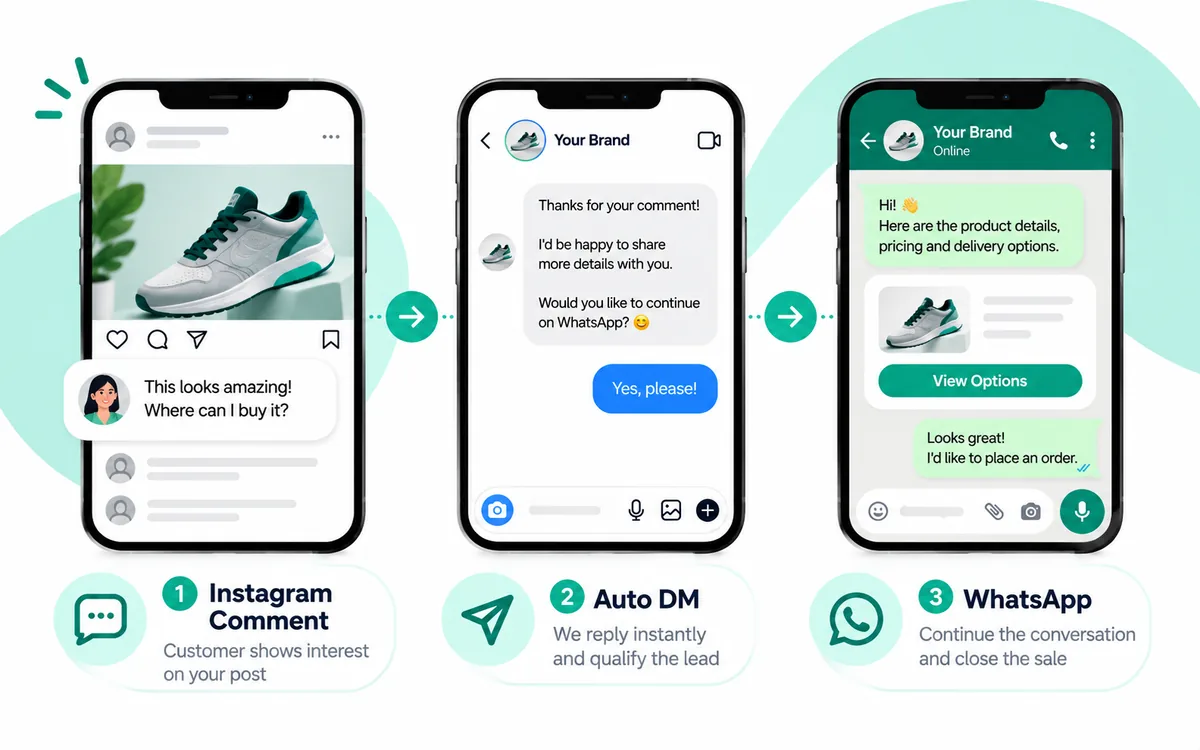
For example, a useful structure could be: You left {{product_name}} in your cart. If you still want it, you can continue here: {{recovery_link}}. Need help with delivery or sizing? Reply to this message.
The exact wording and template category should be reviewed against current WhatsApp requirements before production use.
Broken recovery links can destroy the whole campaign
A message can have excellent delivery and read rates and still fail if the destination is wrong.
Before launch, test the recovery URL with the exact scenario that produced it. Verify that it opens the intended Shopify experience, preserves relevant cart or checkout context, works on mobile, and does not unexpectedly redirect to an empty cart or unrelated product page.
Shopify's documentation also notes that abandoned checkout links have specific behavior and should be treated as customer-specific recovery links. Do not expose one customer's recovery URL to another customer, and do not assume every historical recovery URL behaves like a permanent marketing landing page.

How Shopify triggers fit into WhatsApp automation
Shopify can be the event source while a WhatsApp platform manages the conversation layer.
For checkout recovery, Shopify Flow provides a Customer abandons checkout trigger. For cart-level recovery, the implementation needs to distinguish the cart event from checkout abandonment and determine what customer information is available at that point.
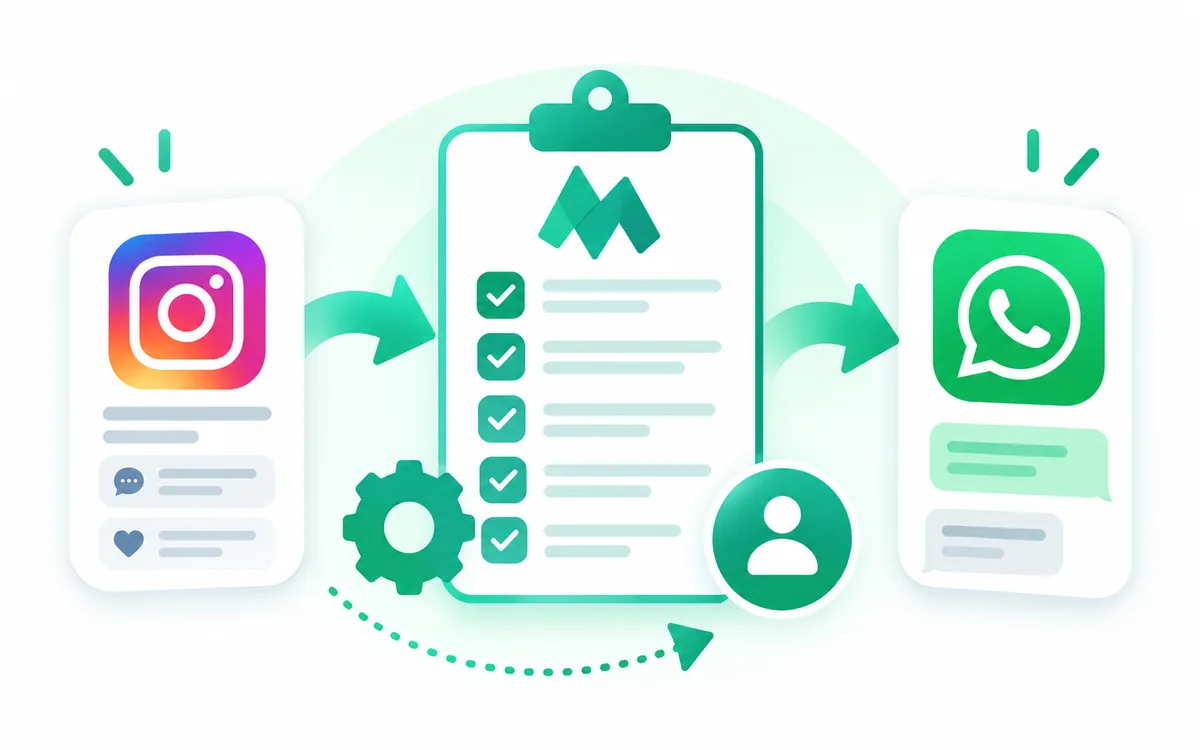
A robust architecture can look like this:
- Shopify records the cart or checkout event.
- The automation checks whether the shopper is eligible.
- The system verifies WhatsApp number and consent status.
- The workflow checks suppression, previous sends, and recent purchase activity.
- An approved WhatsApp template is selected.
- Dynamic product and recovery data are inserted.
- WhatsApp sends the message.
- Delivery, read, click, reply, and conversion events are recorded.
- An order event stops any remaining recovery steps.
This architecture prevents a common failure mode: Shopify says an abandonment occurred, but the messaging layer sends a message without knowing whether the customer already purchased, opted out, or received a previous recovery message.
Prevent duplicate messages and agent chaos
Automation becomes a support problem when every reply creates another task for every agent.
Use explicit conversation states such as recovery_pending, message_sent, customer_replied, agent_assigned, converted, and opted_out. Add idempotency controls so the same Shopify event cannot create multiple sends.
When a customer replies, route the conversation according to intent. A simple question about shipping can go to a support flow. A sizing question can be routed to an agent or product assistant. A request for a discount can follow a defined policy. A customer who says they are no longer interested should enter suppression logic immediately.
The goal is not to automate every conversation. It is to automate predictable work while making the human handoff cleaner.

Should you offer a discount to recover the cart?
Not by default.
A discount can recover some price-sensitive shoppers, but automatically training customers to wait for a coupon can reduce full-price conversions and margin. Start with a reminder and useful reassurance. Test an incentive only where the economics support it.
For some stores, the better recovery message is information: shipping time, return policy, stock status, product comparison, or assistance choosing the right variant. For others, a limited incentive may make sense. The right answer should come from controlled measurement rather than a blanket rule.
India and cash-on-delivery considerations
For global merchants, India should be treated as a market-specific configuration rather than the default recovery model.
Where cash on delivery is offered, a recovery flow may need to explain delivery expectations, COD availability, serviceability, order confirmation, or verification requirements. Avoid turning every abandoned-cart message into a COD promotion. The recovery content should match the customer's selected market, payment options, and actual store rules.
How to measure WhatsApp cart recovery honestly
Do not measure success using delivered or read messages alone. Those metrics describe communication, not incremental revenue.
At minimum, track:
- Eligible abandoned carts or checkouts.
- Customers with valid WhatsApp consent.
- Messages attempted and delivered.
- Read and click rates where available.
- Replies and support handoffs.
- Recovered sessions.
- Recovered orders.
- Recovered revenue.
- Average order value.
- Opt-out and block signals.
- Cost per recovered order.
Most importantly, use a holdout group when your traffic volume allows it. If 1,000 customers receive WhatsApp and 100 purchase, that does not prove WhatsApp caused all 100 purchases. Some would have purchased without the message.
A better experiment randomly withholds WhatsApp recovery from a comparable eligible group. Compare purchase rate and revenue per eligible customer between the treatment and holdout groups. Keep the test definition stable and account for other recovery channels such as email and SMS.
A practical Shopify WhatsApp recovery setup
A production setup can be implemented in stages rather than trying to build a complicated journey on day one.
Stage 1: connect the business
Connect the Shopify store and the appropriate WhatsApp Business account or WhatsApp Business Platform provider. Shopify's current WhatsApp setup documentation covers connecting a WhatsApp Business Account and enabling WhatsApp marketing consent during checkout.
Stage 2: define the audience
Define exactly who can enter the workflow: market, consent state, phone availability, cart or checkout status, customer status, and suppression rules.
Stage 3: create the templates
Prepare separate templates for the first reminder, second touch, and final reminder if your journey requires multiple business-initiated messages. Keep each template focused on one purpose.
Stage 4: connect recovery data
Map product name, cart value, relevant product information, currency, and recovery destination. Validate every variable before sending.
Stage 5: add stop conditions
Purchase completion should stop recovery. Opt-out should stop marketing. An invalid destination should stop or divert the message rather than repeatedly sending a broken experience.
Stage 6: add analytics
Record message and conversion events against a stable campaign or workflow identifier so you can compare recovery journeys over time.
Testing checklist before going live
Run the workflow end to end using test customers and test orders.
- Add a product to cart and verify the correct event is detected.
- Start checkout and verify the checkout trigger separately.
- Use a test customer with explicit WhatsApp consent.
- Use a customer without consent and verify no marketing message is sent.
- Verify the correct phone number and country code.
- Confirm the approved template is selected.
- Open the recovery destination from a mobile device.
- Complete a purchase and confirm pending messages are cancelled.
- Reply to the message and verify agent routing.
- Send an opt-out request and confirm suppression.
- Replay the same event and confirm idempotency prevents duplicates.
- Test inventory changes and unavailable products.
- Test multiple abandoned carts from the same customer.
- Check analytics against the actual Shopify order.
Troubleshooting WhatsApp abandoned cart recovery
The Shopify event fires but no WhatsApp message is sent
Check consent, phone availability, customer eligibility, suppression state, template approval, workflow status, and provider delivery logs. Do not assume the Shopify trigger is responsible for the entire failure.
The message is delivered but the link is broken
Inspect the exact URL generated for that customer. Test the URL on mobile and desktop and verify that the underlying Shopify recovery state still exists.
The template is rejected
Review the template category, wording, variables, and intended use. Avoid trying to disguise promotional content as another message purpose. Follow current WhatsApp template guidance and resubmit a clearer version when appropriate.
Customers receive duplicates
Look for multiple workflows listening to the same Shopify event. Then add idempotency keys, purchase stop conditions, and a per-customer recovery state.
Agents receive too many conversations
Introduce intent-based routing and automated answers for predictable questions. Assign ownership when a human takes over and stop automated recovery messages that would conflict with the live conversation.
Where Mark360.ai fits
For a Shopify merchant that wants more than a single WhatsApp reminder, the useful role of Mark360.ai is as the conversational automation layer around the recovery journey.
That can include WhatsApp campaigns, automation flows, customer replies, agent handoff, Shopify-related events, template management, and performance visibility. The important part is to keep the workflow focused: recover genuinely eligible customers, make the next step easy, and stop messaging when the customer has purchased or withdrawn permission.
You do not need to launch a seven-message sequence on day one. Start with one well-tested reminder, measure incremental conversion with a holdout when practical, and expand only when the data shows that additional messages create value without increasing unwanted contact.
Frequently asked questions
Can Shopify send WhatsApp abandoned cart messages by itself?
Shopify provides WhatsApp marketing capabilities and supports connecting a WhatsApp Business Account through Shopify Messaging in supported configurations. For more advanced recovery journeys involving custom logic, multiple stages, agent routing, or broader automation, merchants may use Shopify Flow and a WhatsApp automation platform or integration.
Can I message every customer who abandons a cart?
No. Eligibility should include the required WhatsApp consent and other business and policy conditions. A phone number alone should not be treated as marketing permission.
Do abandoned cart and abandoned checkout WhatsApp flows use the same trigger?
They should not automatically be treated as the same event. A cart abandonment happens earlier, while checkout abandonment indicates that the customer progressed further into checkout. Your workflow should explicitly define which event it is recovering.
How many WhatsApp abandoned cart messages should I send?
There is no universal number. A common starting point is one reminder followed by one or two controlled follow-ups, with purchase and opt-out stop conditions. Test frequency against conversion, opt-outs, and incremental revenue.
Do I need an approved WhatsApp template?
When the business initiates a WhatsApp conversation on the WhatsApp Business Platform, approved message templates are required. Once a customer messages the business, responses can generally be sent without a template within the applicable 24-hour customer service window.
How can I recover abandoned carts without annoying customers?
Use explicit consent, relevant messages, reasonable timing, clear opt-out handling, and strict stop conditions. Keep messages useful rather than repeatedly applying pressure or sending unnecessary discounts.
Should WhatsApp replace abandoned cart email?
Not automatically. Email, WhatsApp, and SMS can serve different customer preferences and stages. Measure incremental performance with controlled tests rather than assuming one channel should replace another.
What is the biggest technical mistake in WhatsApp cart recovery?
A common failure is connecting the Shopify abandonment event directly to message sending without an eligibility and state layer. That can lead to messages for customers without consent, duplicate sends, messages after purchase, or broken recovery destinations.
Final takeaway
A high-quality whatsapp abandoned cart shopify strategy is less about sending more messages and more about connecting the right data, permission, timing, recovery destination, and conversation handling.
Start with the distinction between cart and checkout. Capture the right phone and consent signals. Use approved templates for business-initiated conversations. Test every recovery link. Stop the workflow after purchase or opt-out. Route replies instead of dumping every conversation into one agent queue. Finally, use holdouts and recovered revenue—not message volume alone—to decide whether the workflow is genuinely improving Shopify conversion.